Back Up and Restore Your DocumentDB Database
Protect your DocumentDB data by creating manual backups and enabling automatic backup schedules.
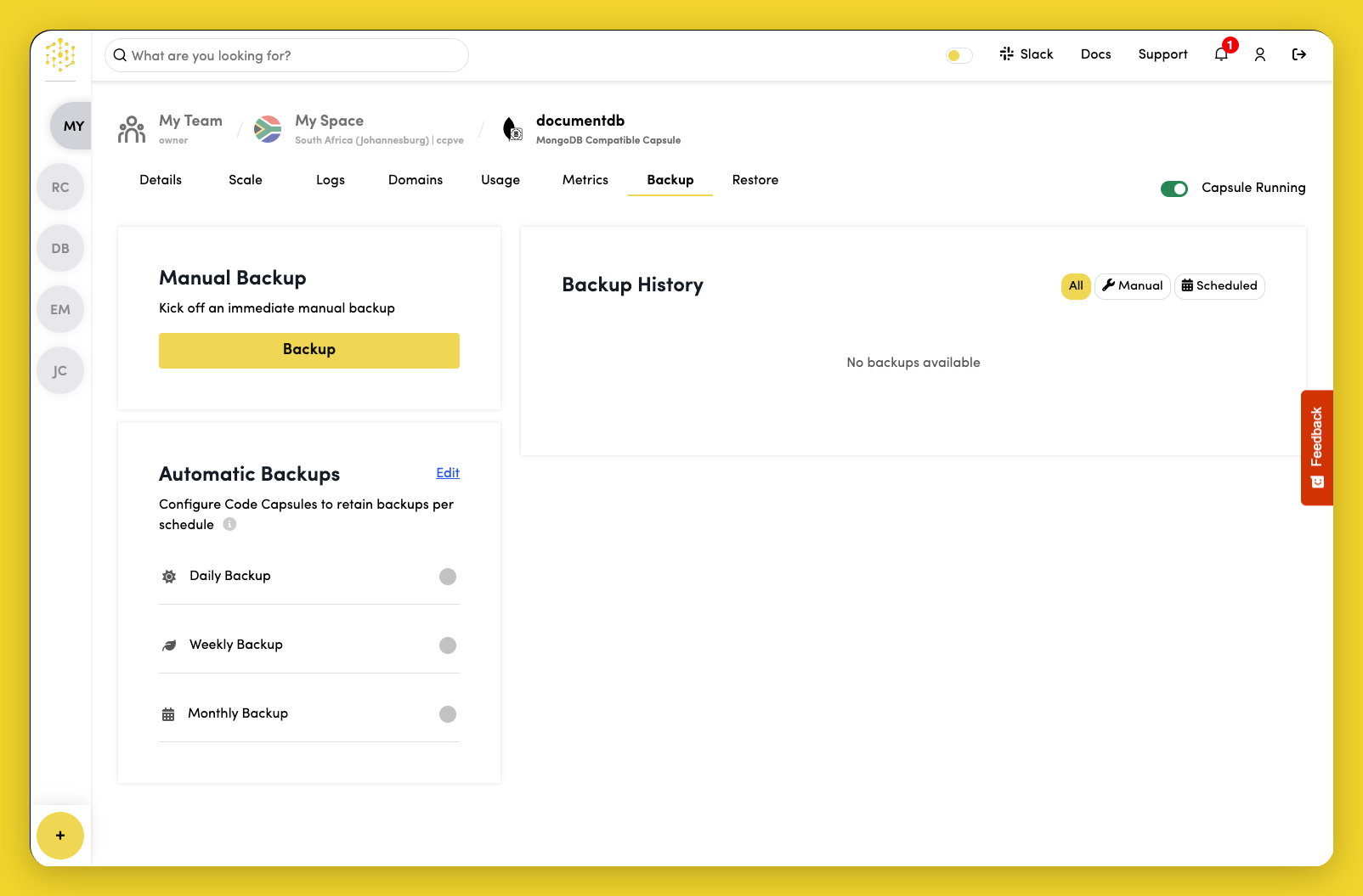
Open the Backup tab on your capsule dashboard.
Manual backup
Trigger a manual backup by clicking Backup in the Manual Backup section.
Automatic backups
Toggle the switch next to the schedule you want to use:
- Daily Backup — creates backups every day
- Weekly Backup — creates backups every week
- Monthly Backup — creates backups every month
Code Capsules retains backups based on your selected schedule and automatically deletes older backups as new ones are created.
View and restore backups
The Backups section lists completed backups. Restore or delete backups from this panel.
Use the Restore tab to view restore operations.
Backup storage costs $0.50/GB.