Configure Your DocumentDB Database
DocumentDB Capsules are configured from the Details tab. There is no Config tab for DocumentDB — server settings are managed by the platform.
For new projects, Code Capsules recommends a MongoDB Capsule instead. MongoDB Capsules support additional configuration such as version selection on Dedicated clusters.
View connection details
The Details tab provides connection details once provisioning completes. While the capsule is still being created, an info message explains that details will appear when the capsule is ready.
Click show in the Connection details section to view:
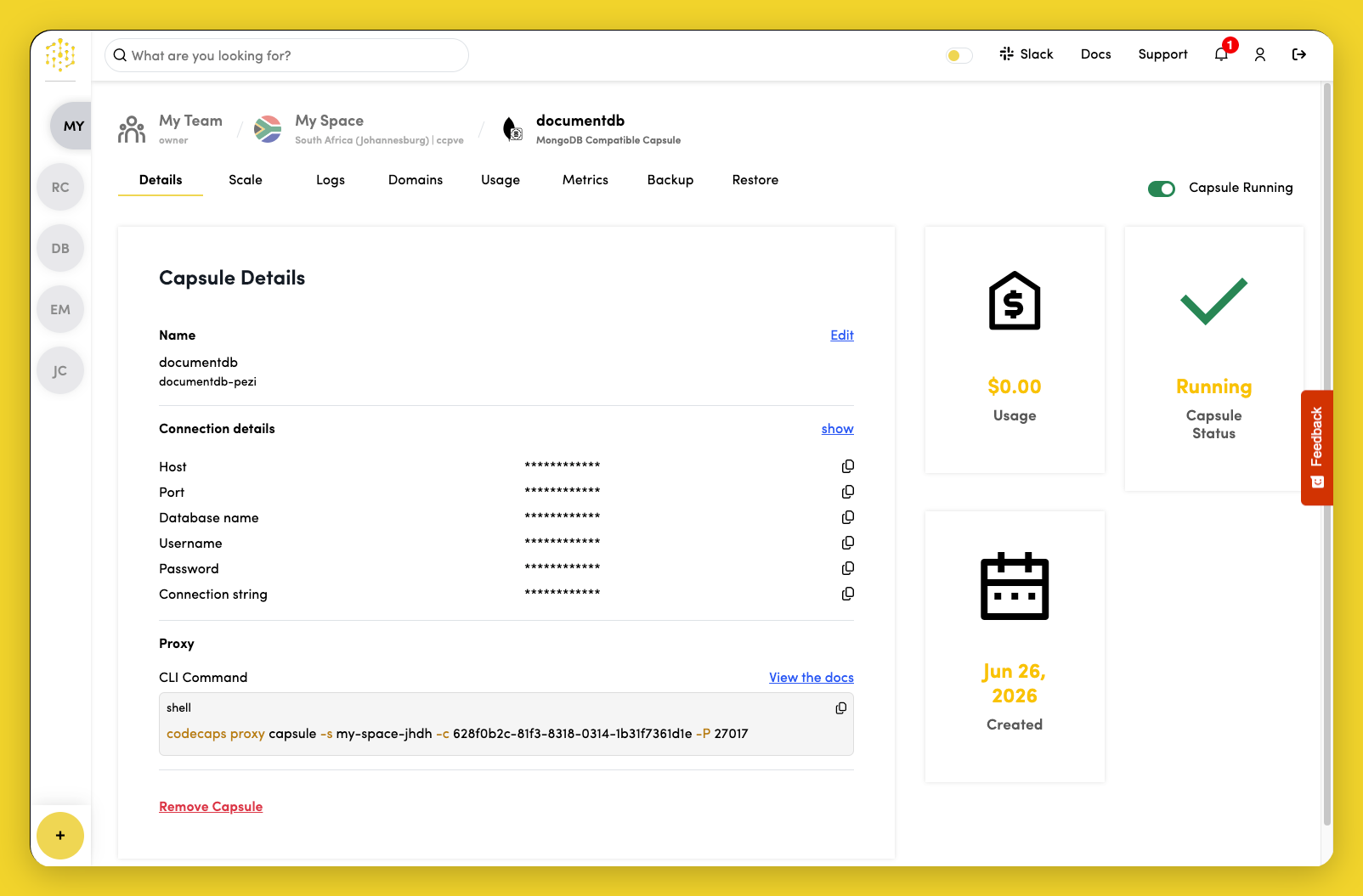
- Host
- Port (default
27017) - Database name
- Username
- Password
- Connection string
The connection string uses TLS:
mongodb://<username>:<password>@<host>:<port>/<database>?tls=true&tlsAllowInvalidCertificates=true
Use the copy icon next to any value to copy it to your clipboard.
Connect from your local machine
DocumentDB Capsules are not publicly accessible. To connect from your laptop—for example, to run queries or check your server version—open a secure tunnel with the Code Capsules CLI and connect with mongosh. See Connect Locally for the full workflow, client installation, and examples.
Edit capsule name
Click Edit next to the capsule name in the Capsule Details section to rename the capsule.
Bind to an application capsule
DocumentDB Capsules are accessed privately from other capsules in the same Space. They do not support public access or custom domains.
To provide connection details to a Backend, Docker, or Agent Capsule:
- Open the application capsule's Config tab.
- In the Data capsules section, click View next to your DocumentDB Capsule.
- Copy individual values or click + next to Connection string to create a
DATABASE_URLenvironment variable.
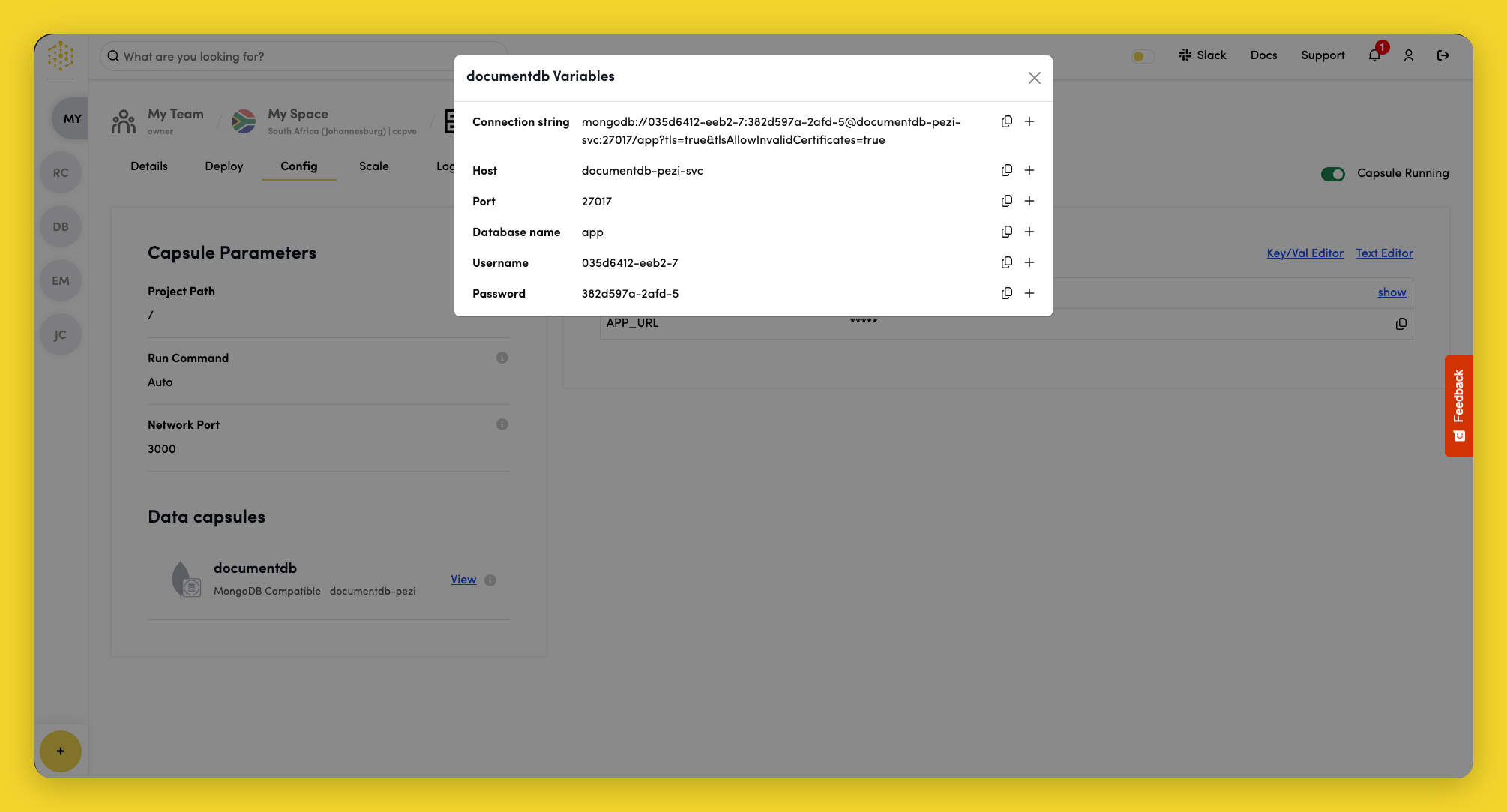
Available environment variables include:
| Variable | Description |
|---|---|
DATABASE_URL | Full MongoDB connection string with TLS |
DATABASE_HOST | Private hostname |
DATABASE_PORT | Port number |
DATABASE | Database name |
DATABASE_USER | Username |
DATABASE_PASSWORD | Password |
Saving environment variables on the application capsule restarts it with the new values.