Deploy Your MongoDB Database
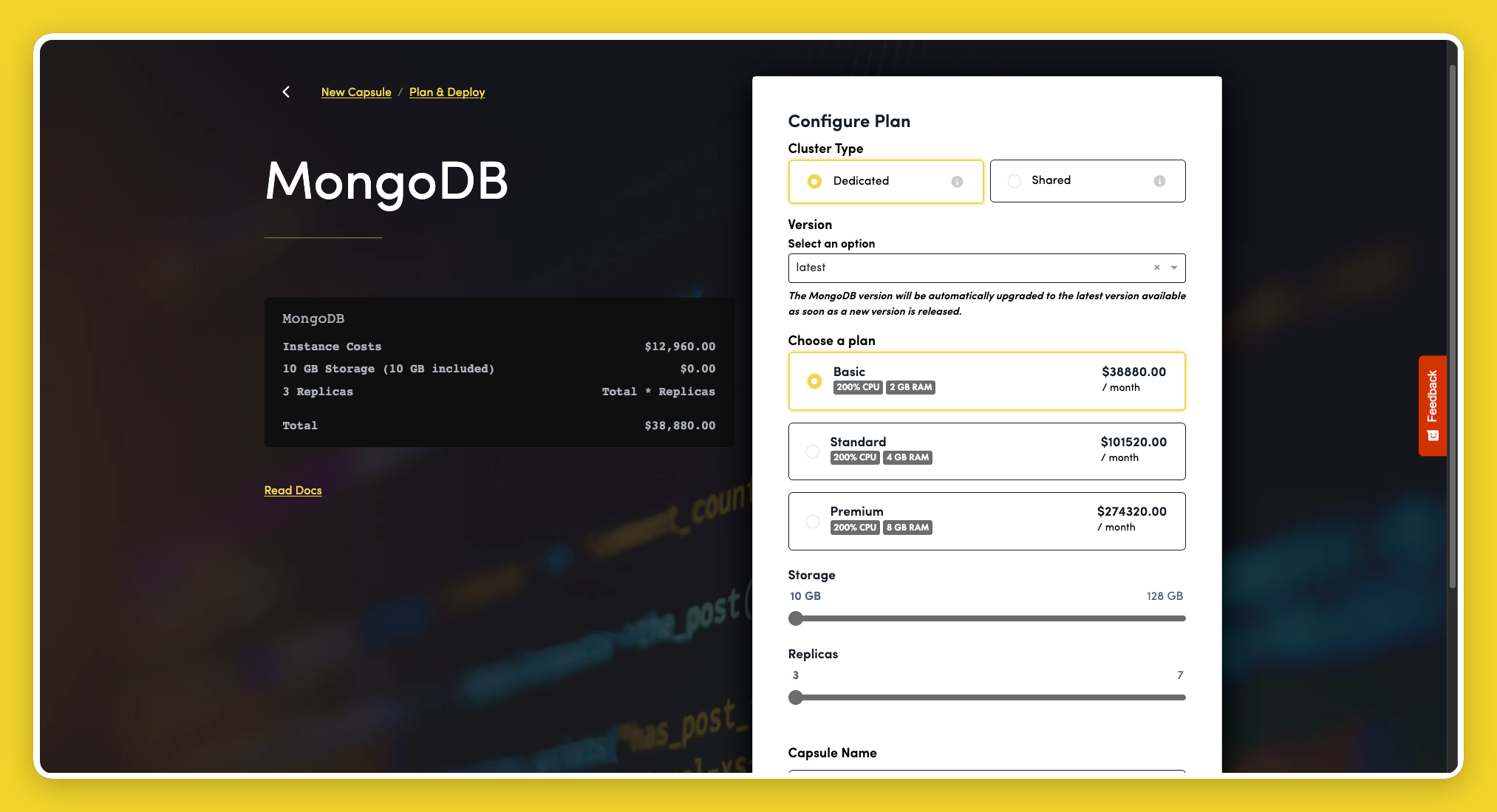
MongoDB Capsules are managed clusters on MongoDB Atlas. This is the recommended way to run MongoDB on Code Capsules. When you create a capsule in the dashboard, it is presented as MongoDB and provisioned with your chosen cluster type, version, and capacity.
For a self-hosted MongoDB-compatible alternative, see DocumentDB. DocumentDB is intended for existing workloads — new projects should use MongoDB Capsules.
Create a MongoDB Capsule
- Click New Capsule and select MongoDB, your Team, and Space.
- On Plan & Deploy, choose a Cluster Type:
- Dedicated — dedicated CPU and RAM based on the instance size you select.
- Shared — shared CPU and RAM at a lower cost. Can be upgraded to Dedicated later.
- Select a Version. See Versions for supported options.
- Choose a Plan and configure Storage and Replicas for Dedicated clusters.
- Enter a Capsule Name and click Create Capsule.
Cluster creation can take several minutes. See the MongoDB getting started guide for connection and binding instructions.