Upgrade Your MySQL Database From 5.7 to 8.0
This guide covers upgrading a MySQL Capsule from 5.7 to 8.0.
Before You Begin
- Take a backup. Create a manual backup before changing the MySQL version.
- Plan for brief disruption. Code Capsules rolls out the new version instance by instance. Your applications may experience short connection interruptions during the rollout.
Change the Version
- Open your MySQL Capsule dashboard.
- Go to the Config tab.
- In the MySQL Configuration section, click Edit, and select "Upgrade to Mysql 8.0".
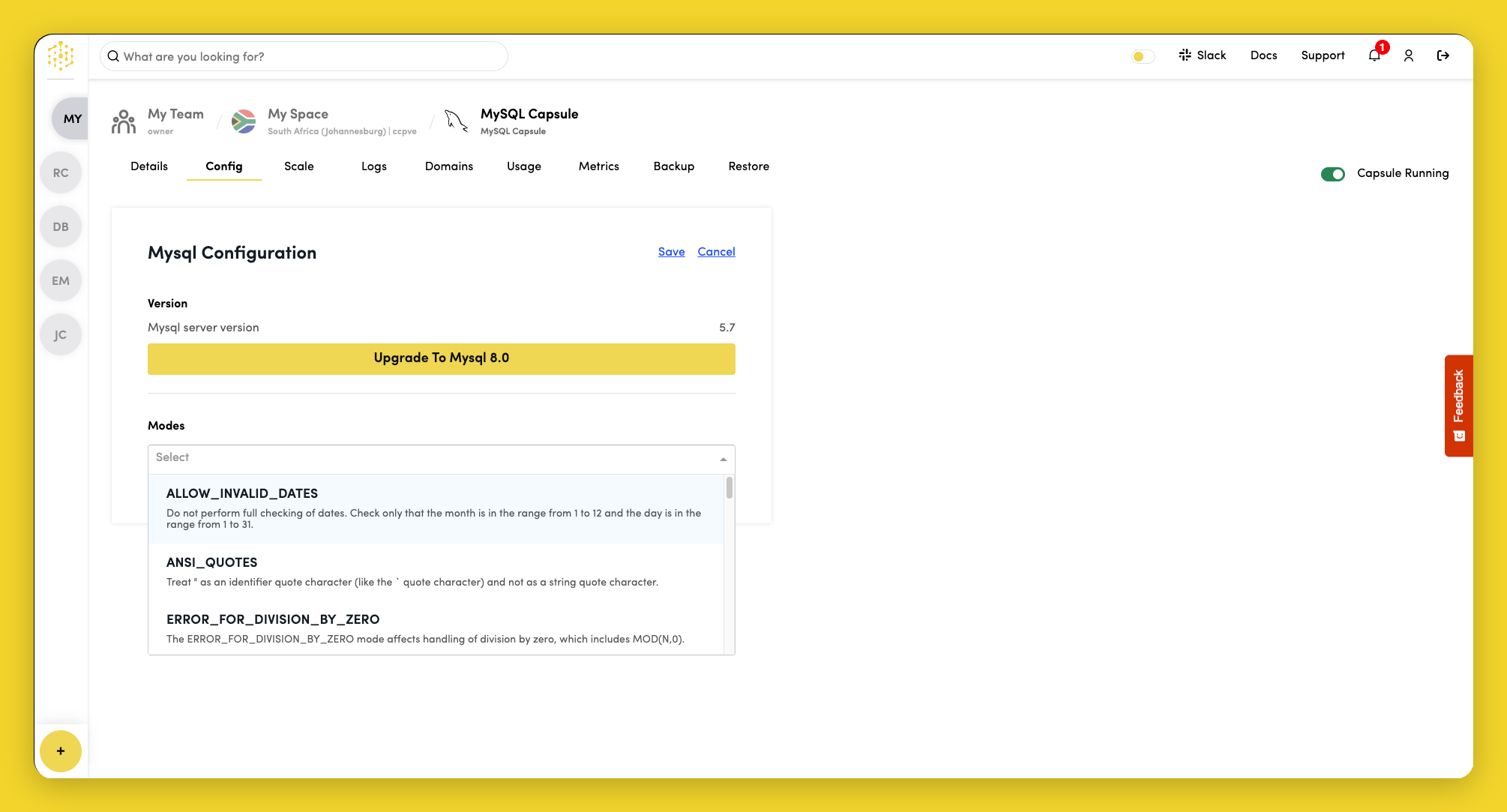
Wait until the Capsule reports as ready and the new version is fully applied before running further changes. Check the Logs for rollout details.
After Upgrading
- Verify application connectivity against MySQL 8.0.
- Re-run
SELECT VERSION();to confirm the expected version is active. - Review application logs for authentication or SQL compatibility errors.
Review the MySQL 8.0 upgrade documentation for SQL and configuration changes that may affect your application.