Everything About Hosting Your Docker Container
Deploy applications on Code Capsules using your own Dockerfile or an existing container image. Docker Capsules give you full control over how your capsule is built and run, while Code Capsules handles hosting, networking, scaling, and operations.
When to use a Docker Capsule
A Docker Capsule is a good fit when:
- You maintain a
Dockerfilein your repository - You already publish a public container image, for example to Docker Hub or GitHub Container Registry
- You need a specific base image or system packages
- Your application has a multi-stage or non-standard build
- You want full control over how your capsule is built and run
Choose how to deploy
You can deploy a Docker Capsule in one of two ways:
| From Git | From an existing image | |
|---|---|---|
| You provide | A Git repository with a Dockerfile | A public container image |
| Who builds it | Code Capsules builds the image | You build and publish the image |
| First deploy | Starts automatically when the capsule is created | Click Pull & Deploy after the capsule is created |
| Updates | Auto-deploy on every push to your branch | Click Pull & Deploy to deploy a newer image |
| Best for | Apps you build from source | Images built in your own CI, or published software |
To start, click the yellow + button in your Space, select New Capsule, and choose Docker Capsule. On the Source step, choose Git repository or Container image.
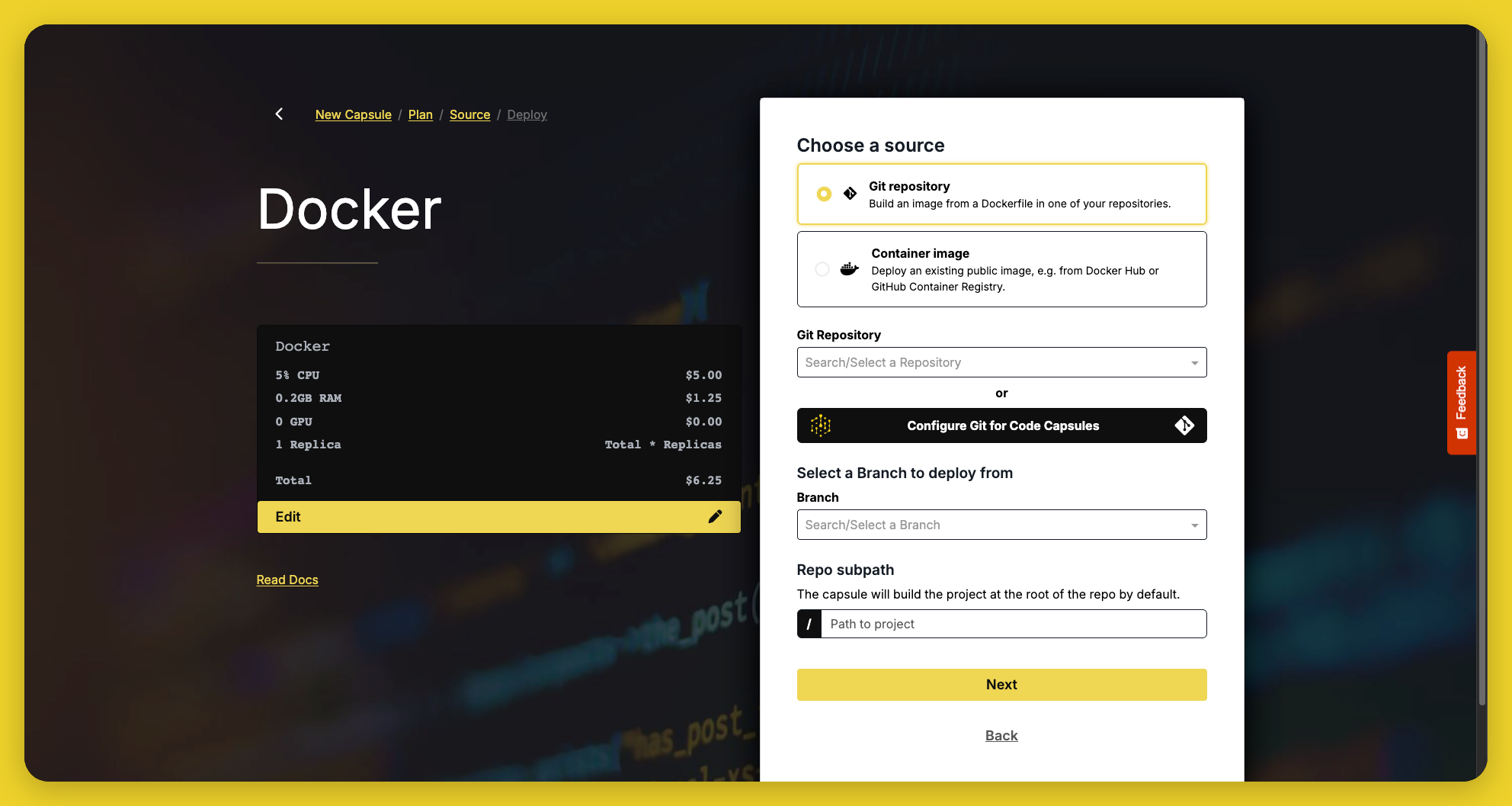
You can't switch between the two after the capsule is created. To use the other source, create a new Docker Capsule.
Documentation
- Container requirements — what every container needs to run on Code Capsules
- From Git
- Deploy — prepare a Dockerfile and create a capsule from your Git repository
- Builds & Auto-deploy — trigger builds, auto-deploy on push, and set the Dockerfile path and build context
- From an existing image
- Deploy — create a capsule from a public container image
- Image Updates — deploy a newer version of your image or change the image
- Deployments — change the source, set the deployment strategy, view build logs, and roll back
- Configure — network port, environment variables, data capsules, and (for Git deployments) the Dockerfile path and build context
- Scale — allocate CPU, memory, and replicas as traffic grows
- Monitor — view metrics and performance data
- Logs — view runtime and access logs
- Notifications — set up notifications for capsule events
Guides
Step-by-step tutorials for deploying Docker Capsules from Git: