Configure Your Frontend App
To configure your Frontend Capsule, navigate to the "Config" tab. These settings work the same way for Static and Container hosting.
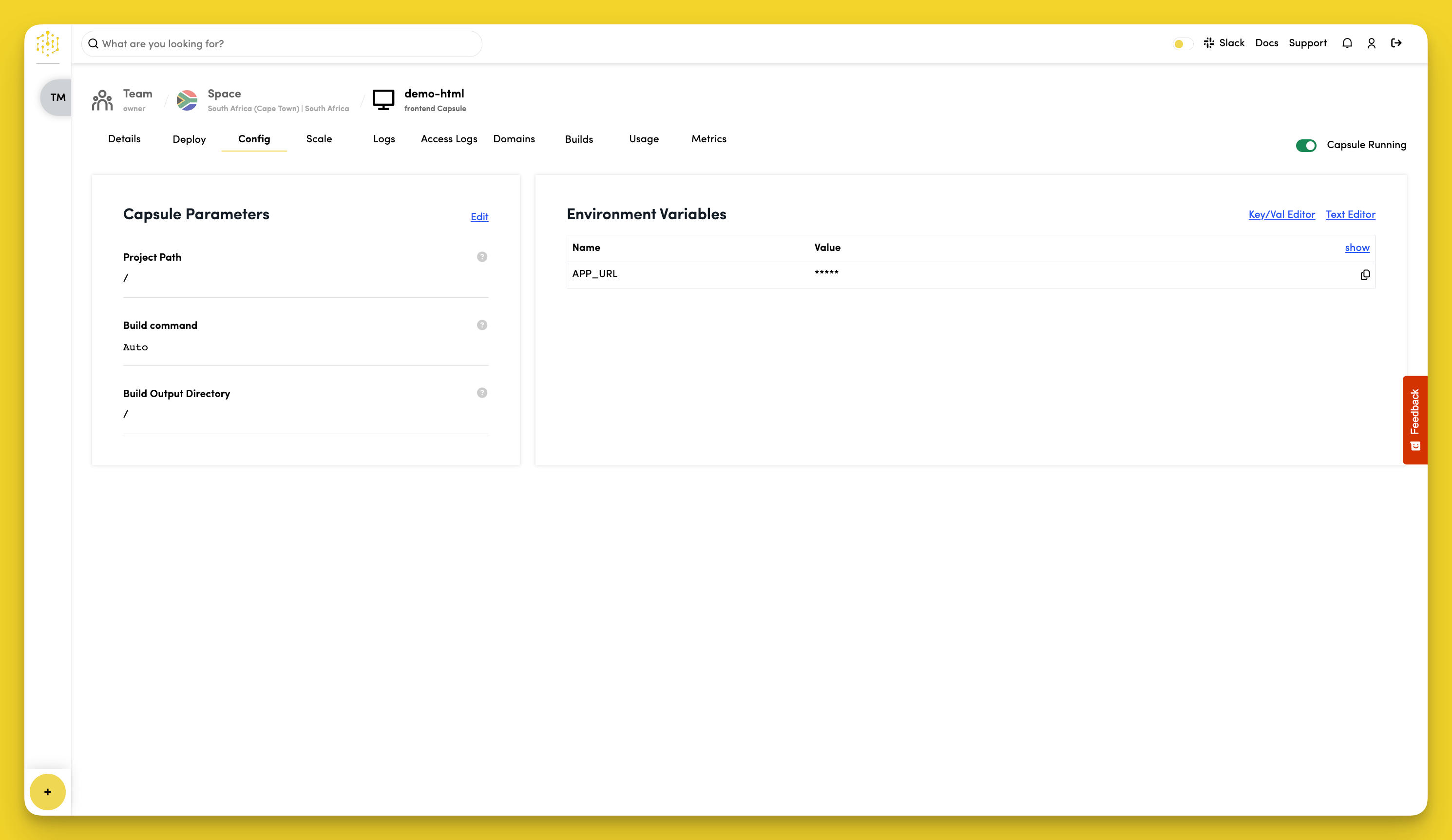
Set Capsule Parameters
Frontend settings are in the Build part of the Capsule Parameters section. To change them:
- Click Edit next to Build.
- Update the settings.
- Click Save, then confirm.
Frontend Capsules have no Runtime settings.
When you save a change in Build, Code Capsules rebuilds your site with the new settings and deploys the result. A build can take a few minutes.
Project Path
The Project Path is where your HTML files are located. The default is /, which works for most projects.
Build Command
The Build command runs your build. The default is Auto, which automatically detects and runs your build process.
Build Output Directory
The Build Output Directory is where your built files end up. Leave it as / if you're not using a build process.
Environment Variables
Frontend Capsules automatically get these environment variables:
APP_URL- Your capsule's public URL
To view variable values, click "show" in the "Environment Variables" section.
To add custom variables:
- Click "Key/Val Editor" or "Text Editor" in the "Environment Variables" section
- Edit the variable "Name" and "Value"
- Click "Save"
Environment variables are available to your build command, so frameworks can include them in your site when it's built (for example, Vite's VITE_ variables or Create React App's REACT_APP_ variables). They aren't read again after the build. On static capsules, saving a change to your environment variables starts a new build.
Anything included in your build can be read by everyone who visits your site. Don't put secrets such as API keys or database passwords in a Frontend Capsule's environment variables.